
How to Use Cricut Design Space for Sublimation Designs

Get the free kitchen boa designs at https://jennifermaker.com/kitchen-boa-pattern
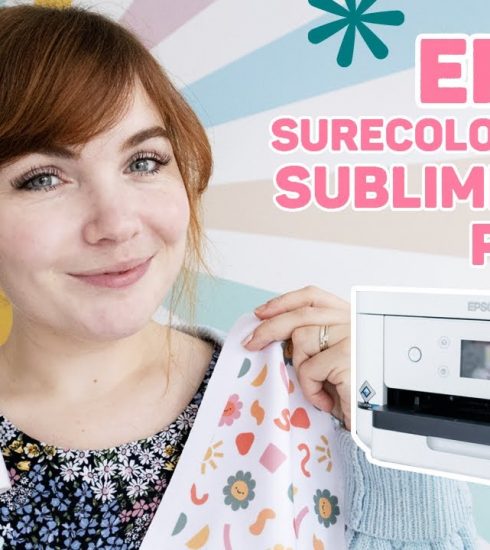
It’s time for a Cricut Design Space lesson – today’s topic is all sublimation. This is a companion video to my Kitchen Boa tutorial, but you can use these basic steps to prepare your sublimation materials for lots of different blanks using a few different techniques. We will work with Infusible Ink Transfer sheets as well as sublimation prints that we’ll make using Cricut Design Space. Everything can be made on any Maker or Explore series cutting machine. Let’s get started!
I appreciate every subscriber. It’s free and easy to subscribe — just click here: http://bit.ly/sub2jennifer
MATERIALS LIST FOR KITCHEN BOA (contains my affiliate links):
View my Amazon shopping list with the exact items we used to make this project at https://a.co/cI2DuTh
For both techniques:
* A white kitchen towel that will work with sublimation – https://amzn.to/3WcyW1w and https://amzn.to/3WyNhFm
* Sewing Machine – https://amzn.to/3tf55cr
* About one yard of cotton fabric – https://amzn.to/3WxW9uz and https://amzn.to/3WnSmAk
* Sewing Ruler – https://amzn.to/3ICLdIF
* Washable Fabric Marker – https://amzn.to/3H22KbP
* Household iron and a safe ironing work surface – https://amzn.to/3RbyA9E
* Rotary cutter – https://amzn.to/3jd2gpT
* Self-healing cutting mat – https://amzn.to/3VfBryJ
* Sewing Clips – https://amzn.to/3XqkAee
* All Purpose Thread – https://amzn.to/3FJvy76
* Heat Press like an EasyPress and Pressing Mat or an Autopress –
* Heat Resistant Tape – https://amzn.to/3hoxj1p
* Scissors – https://amzn.to/3W7CTDE
* Lint Roller – https://amzn.to/3GCUJd6
* Fan – to help disperse sublimation fumes
* Design # 467 — My free kitchen scarf decal design files (available in my free resource library at https://jennifermaker.com/library )
If you’d like to use Infusible Ink transfer sheets, you’ll need:
* A method to cut your material – I used the Cricut Maker 3, but you can use any Cricut depending on the design size – https://jennifermaker.com/which-cricut-should-i-buy/
* Green StandardGrip mat- https://amzn.to/3HJYe2B
* Cricut Infusible Ink Transfer Sheets – https://amzn.to/3G4xokx
To use a printed sublimation design, you will need:
* Sublimation printer – https://jennifermaker.com/best-sublimation-printer/
* Sublimation Paper – https://amzn.to/3v7o2hs
* White Cardstock 12″ x 12″ – https://amzn.to/3PpSSv8
* White Butcher Paper – https://amzn.to/3YyPRNo
#sublimation #sewing #cricut
0:00 – Use Cricut Design Space for Sublimation Design
0:35 – Get Free Kitchen Boa Design Files
1:31 – Option 1: Infusible Ink with SVGs
1:35 – Prepare SVG Files for Infusible Ink Transfer Sheets
3:03 – Cut Your Design on Infusible Ink Transfer Sheets
3:31 – Tip: Wash Your Hands Before Handling Transfer Sheets
4:05 – Option 2: Printed Sublimation Designs
4:08 – Prepare Files in Cricut Design Space
6:39 – Print Then Cut Your Sublimation Design by Hand
8:17 – Assemble Your Kitchen Boa
8:30 – Closing Notes and Link to More Information
============
Follow me at:
Blog: https://jennifermaker.com
Facebook Page: https://www.facebook.com/jennifermakercrafts
Facebook Group: https://www.facebook.com/groups/cricutcraftersandmakers/
Instagram: https://www.instagram.com/jennifer.maker
Pinterest: https://www.pinterest.com/jenuinemom
Please subscribe to my channel at https://www.youtube.com/c/jennifermaker for more video tutorials to craft a life you love!
Credits:
Introduction: PixelBytes (my child!)
Music: Cute by Bensound (licensed, royalty and copyright free)
Videography: Jennifer Marx on a Panasonic Lumix FZ-1000 DSLR 4K camera
Design: A Jennifer Maker original!
source