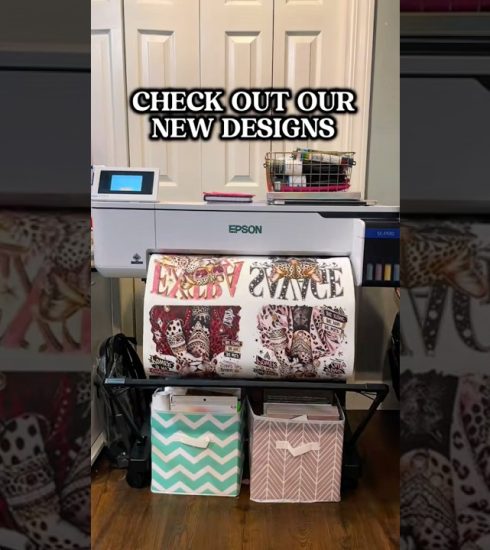
Epson F170 Sublimation Printer Setup | Step-by-Step Tutorial | JPPlus Learning Lab

Learn how to set up your Epson SureColor F170 sublimation printer from start to finish! In this episode of JPPlus Learning Lab, our team walks you through unboxing, installing sublimation ink, downloading printer drivers, and configuring your printer on both Mac and Windows computers.
Whether you’re new to sublimation or setting up your first Epson F170, this beginner-friendly tutorial covers everything you need to get started, including a live sublimation project demonstration and helpful troubleshooting tips.
In this video, you’ll learn:
How to unbox and prepare your Epson SureColor F170 sublimation printer
How to fill the ink tanks and complete the initial ink charging process
How to download and install the correct Epson drivers for Mac and Windows
How to connect your printer using USB, Wi-Fi, or Ethernet
How to perform a nozzle check and identify clogged printheads
How to configure sublimation print settings in Affinity
The differences between textile and rigid color profiles
How to mirror artwork and prepare sublimation transfers
How to heat press your first sublimation project
Tips for troubleshooting color differences between Mac and Windows prints
Shop Epson sublimation printers, heat presses, and supplies at JPPlus.com.
Have questions about sublimation or your Epson printer? Our Advanced Support Team is here to
source