
Full-Wrap Mug Sublimation Tutorial: Step-by-Step for Beginners

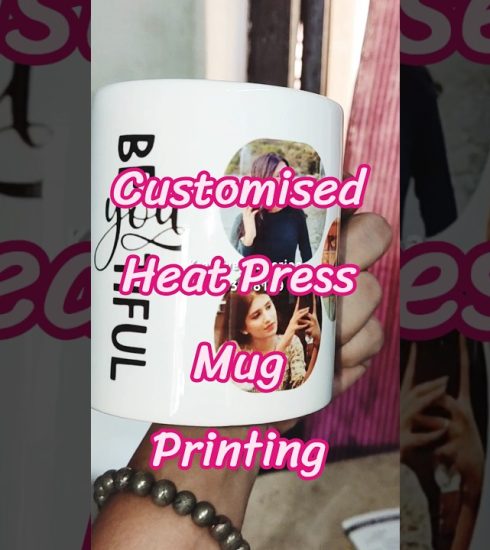
In this video, I’ll show you how to sublimate a full-wrap mug in a convection toaster oven. If you have been struggling with consistent results, this tutorial breaks down the exact process for using a convection toaster oven for your projects. We focus on preparing your files in Cricut Design Space so that your artwork wraps smoothly around the mug, including the area near the handle. I’ll also show you how to prep your mug or tumbler, apply your sublimation paper, secure it with heat-resistant tape and shrink wrap, and use the correct temperature and time settings for bright, vibrant, and long-lasting results.
➡️ Shop my favorite sublimation blanks & supplies below
➡️ Watch more sublimation tutorials on my channel!
Sublimation Ink I’m Using & Recommend 💖
For my sublimation projects, I’ve been using this universal sublimation ink, and I’ve had a great experience with it. Colors press vibrant, performance has been consistent, and it works great for everyday sublimation projects like the one in this video.
👉 You can check it out here: https://amzn.to/4qjPDHl
💸 Use promo code CREATE2026 to save 10% on Amazon ✨
No pressure. Just love. ❤️
If you enjoy my content & want to help keep my channel going, consider joining one of my channel memberships:
https://www.youtube.com/channel/UCw4IVOlsiIx2RBb9leTwHkQ/join
🛒 Shop My Favorite Craft Supplies:
Cricut maker 3 – https://amzn.to/3PWk7yZ
Cricut Maker – https://amzn.to/3tIvGxT
Hiipoo sublimation paper – https://amzn.to/3xxobPO
Hiipoo sublimation tumblers – https://amzn.to/3xpZ3KI
Vevor tumbler press – https://amzn.to/4d6e9FR
Romech heat tool – https://amzn.to/3Qlxj0H
Convection Toaster Oven – https://amzn.to/3MInhEq
HTVRont Auto Press – https://amzn.to/47IbIHf
Vevor Heat Press – https://amzn.to/3XG774G
Cricut fabric mat – https://amzn.to/3vSib15
Cricut Easy press mini – https://amzn.to/35F4gB7
Cricut accessories – https://amzn.to/3hXUXhW
Cricut heat press mat https://amzn.to/3hXeX4m
Chapters
00:00 Sublimation Mug Tutorial in Convection Oven
00:12 Full Wrap Mug Template in Cricut Design Space
01:10 Centering the Design and Using Slice
01:51 Sending the Design to the Epson Sublimation Printer
02:33 Printer Settings: Mirror, Bleed, Paper Size & Quality
03:12 Color Controls, Profiles & Color Correction Tips
04:50 Cleaning the Mug with Rubbing Alcohol Before Sublimation
🔗 Find me here:
• 🎥 YouTube Channel: https://www.youtube.com/@creationswithtory
• 🛒 Amazon Storefront: https://www.amazon.com/shop/cricutcreationswithtory
• 📲 LTK Shop: shopltk.com/explore/CreationswithTory
• 🌎 Linktree: https://linktr.ee/CreationswithTory
• 📧 Email Me: Cr*******************@***oo.com
📱 Social Media:
• 🎨 Join our Facebook Group for Creators! https://www.facebook.com/creationswithtory
• 🎥 TikTok: https://www.tiktok.com/@creationswithtory
• 📸 Instagram: https://www.instagram.com/creationswithtory/
• 📌 Pinterest: https://www.pinterest.com/creationswithtory/
🌟 Free Trials & Deals:
• Amazon Prime Video Free Trial: http://www.amazon.com/gp/video/primesignup
• Amazon Music Unlimited Free Trial: https://www.amazon.com/gp/dmusic/promotions/AmazonMusicUnlimited
🎬 About My Channel:
Welcome to Creations with Tory! I share real Cricut tutorials, step-by-step sublimation hacks, laser machine cutting & engraving, DTF (direct to film) & iColor white toner projects. I’m Tory, & I figure out the crafting quirks so you don’t have to—sharing all the “why is this not working” troubleshooting moments & creative DIY hacks.
I even do “How To Fix” videos to save you money (which means more money to craft with!). From how to fix your Epson ET Sublimation printer when you’ve reached the “end of service” life, to other issues I’ve personally dealt with. I even threw in a how to fix your Keurig coffee maker—cuz let’s face it, you have to have coffee when you’re crafting!
I’m a boy mom of two, so chaos is my specialty. If you’re tired of perfect-looking projects with no real information, you’ll feel right at home here. Welcome to the community!
Disclosure:
🌺As an Amazon Influencer I earn from qualifying purchases🌺 Thanks again for watching my tutorial. If you enjoyed my video, please like it and comment what you liked about it. If you would like to see more of my videos, don’t forget to hit the subscribe button.
FTC Legal Disclaimer- Some links found in the description box of my videos may be affiliate links, meaning I will make commission on sales you make through my link. This is at no extra cost to you to use my links/codes, it’s just one more way to support me and my channel. 🙂
The information provided in this video is for informational purposes only and is based on my personal experience. Always do your own research or consult a professional before making decisions.
#sublimation #sublimationblank #sublimationprinting
source